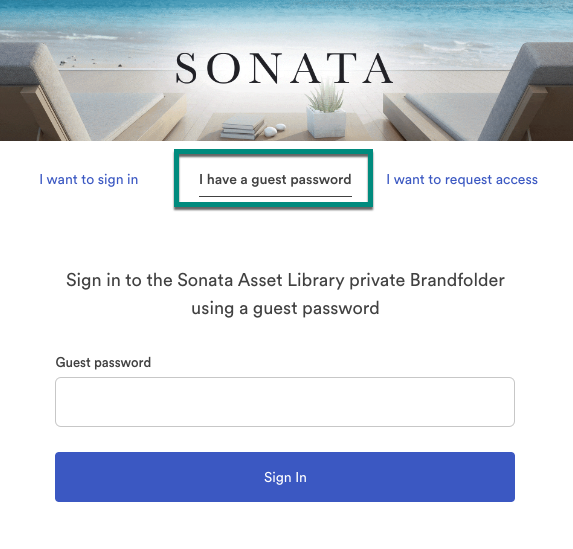
Setting up a Guest Passkey enables others to access your private library without requiring an account. There are two ways to set up your guest passkey:
- Custom Passkeys: Create your own alphanumeric passkey.
- System-Generated Passkeys: Media Manager generates a strong, memorable four-word phrase for you.
In any case, your passkey expires after one year by default, but you can set up a custom expiration period.
Set up a Guest Passkey
Select the Privacy button in the Admin controls bar.
Brandfolder Image
- Set your Library to Private.
- Check the box next to Enable Guest Passkey.
- Enter your password or select Regenerate for a system-generated passkey.
- Set the appropriate expiration period.
- Select Update Privacy Settings.
End user experience
- Select I have a guest password.
- Enter the password provided.
- Select Sign in.
NOTE: Users logging in this way appear anonymous in your analytics/insights.