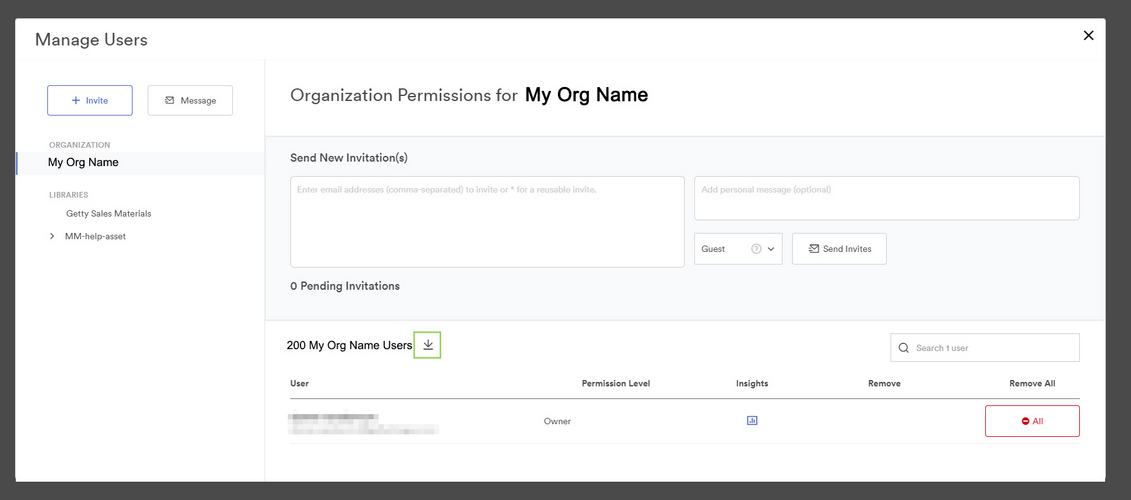
To export a list of all users of your Organization, follow the steps below:
1. Make sure you are at the "Organization" level (at the top of the list under 'My Libraries").
2. Click the "Manage Users" Under Settings option at Organization level.
3. Click "Arrow" button to download the user list.